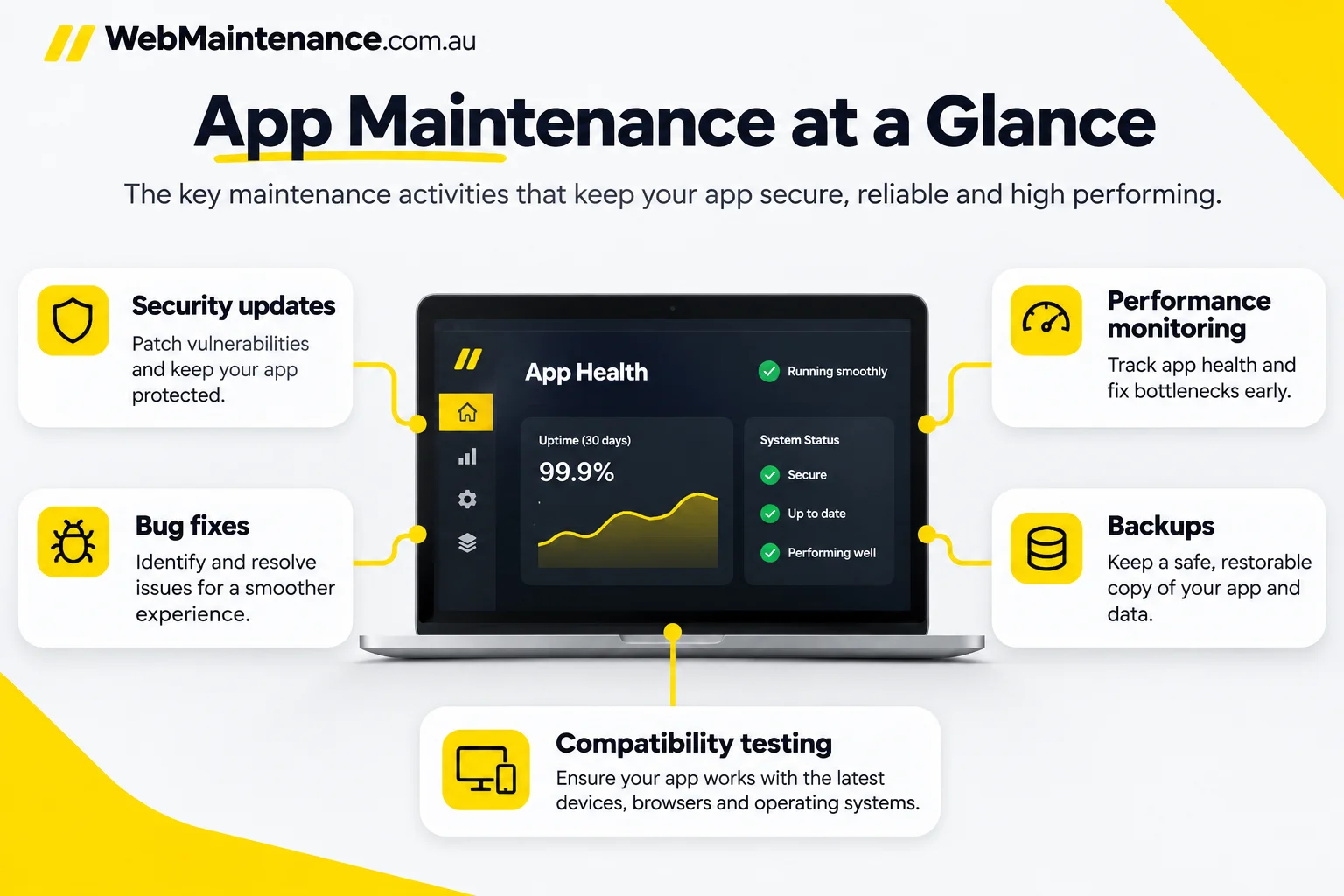
App maintenance is the ongoing work that keeps an existing software application secure, compatible, functional and supported after launch. It covers defect fixes, dependency updates, release testing, monitoring, recovery planning and decisions about ongoing costs.
Before choosing a maintenance provider, Australian businesses first need to identify whether their product is a mobile app, a custom web application or a website running on a content management system. Each requires different expertise and a different scope of work.
What is app maintenance?
App maintenance is the management of a released software application's reliability, security and compatibility throughout its operational life. It involves identifying defects, applying supported updates, testing changes and responding to incidents rather than rebuilding the product after every issue.
- Corrective work: resolves faults, crashes and failed user actions.
- Preventive work: checks dependencies, access controls, backups and emerging risks.
- Adaptive work: responds to operating-system, browser, app-store or external API changes.
- Perfective work: improves existing performance and usability within an agreed change scope.
Here, maintenance means caring for an existing software product. A maintenance-management app used to schedule equipment repairs is a different product category.
Which application types need maintenance?
Every actively used application requires an owner for updates and incidents, but the required expertise differs by platform. Our core service is website maintenance, including ecommerce websites.
| Application type | Main technical responsibilities | Support from WebMaintenance |
|---|---|---|
| WordPress website | Core, themes, plugins, forms, hosting coordination and backups | Covered by our website care plans; inclusions depend on your plan. |
| WooCommerce website | WordPress updates plus checkout, payment and extension compatibility | Covered by our ecommerce website care; detailed scope by quote. |
| Custom web application | Source-code changes, runtime upgrades, APIs, database and deployment pipeline | Contact us to discuss scope. |
| Native iOS or Android app | Mobile code, SDKs, signing, device testing and app-store releases | Contact us to discuss scope. |
| Hybrid or cross-platform app | Shared framework, platform-specific builds, back-end APIs and store compliance | Contact us to discuss scope. |
The technical ownership and written support agreement determine which activities a supplier is responsible for. A website maintenance plan does not automatically cover a mobile app.
How does app maintenance differ from website maintenance and a maintenance-management app?
These phrases describe different products and services. Software application maintenance keeps an existing app working; website maintenance maintains a website; a maintenance-management app organises physical asset or work-order tasks.
| Term | What it refers to | Typical tasks |
|---|---|---|
| App maintenance | An existing web, mobile or hybrid software product | Bug fixes, SDK updates, API testing and production releases |
| Website maintenance | A business website or CMS installation | WordPress patches, backups, forms, malware checks and hosting |
| Maintenance-management app (CMMS) | Software used to manage equipment or facilities | Work orders, asset registers and scheduled inspections |
What types of app maintenance are there?
Software maintenance is commonly grouped into four types: corrective, adaptive, preventive and perfective. The classification describes the purpose of a change, not a provider's contractual inclusions.
- Corrective: repair a login failure introduced by a recent release or fix a payment-screen error.
- Adaptive: update an app when a supported Android/iOS version, browser behaviour or payment API changes.
- Preventive: replace a vulnerable library, remove unsupported dependencies and test disaster recovery before a failure occurs.
- Perfective: reduce slow screen rendering or improve a confusing checkout step without changing the product's purpose.
One release can combine several types. For instance, a library upgrade can address a vulnerability and require an adaptive change to an integration. Feature development beyond maintenance belongs in an agreed change request.
What needs updating in an existing mobile or web app?
The main update targets are the operating environment, dependencies, application code and connected services. Prioritise exploitable security issues and broken customer journeys before cosmetic improvements.
- Platform requirements: check supported Android/iOS versions, browser changes, app-store submission policies and hosting runtimes.
- Libraries and SDKs: review package versions, deprecations, security advisories, licence terms and compatibility with the current build.
- Back-end services: test API contracts, database migrations, queues, webhooks, authentication tokens and scheduled jobs.
- Application behaviour: check forms, checkout, sign-in, notifications, accessibility and common device or browser combinations.
- Configuration: rotate compromised secrets, renew certificates and validate environment settings through controlled access.
Native app updates also require signed builds and store distribution. A WordPress site typically follows a CMS and plugin update workflow instead of an app-store release.
How should app updates be tested before release?
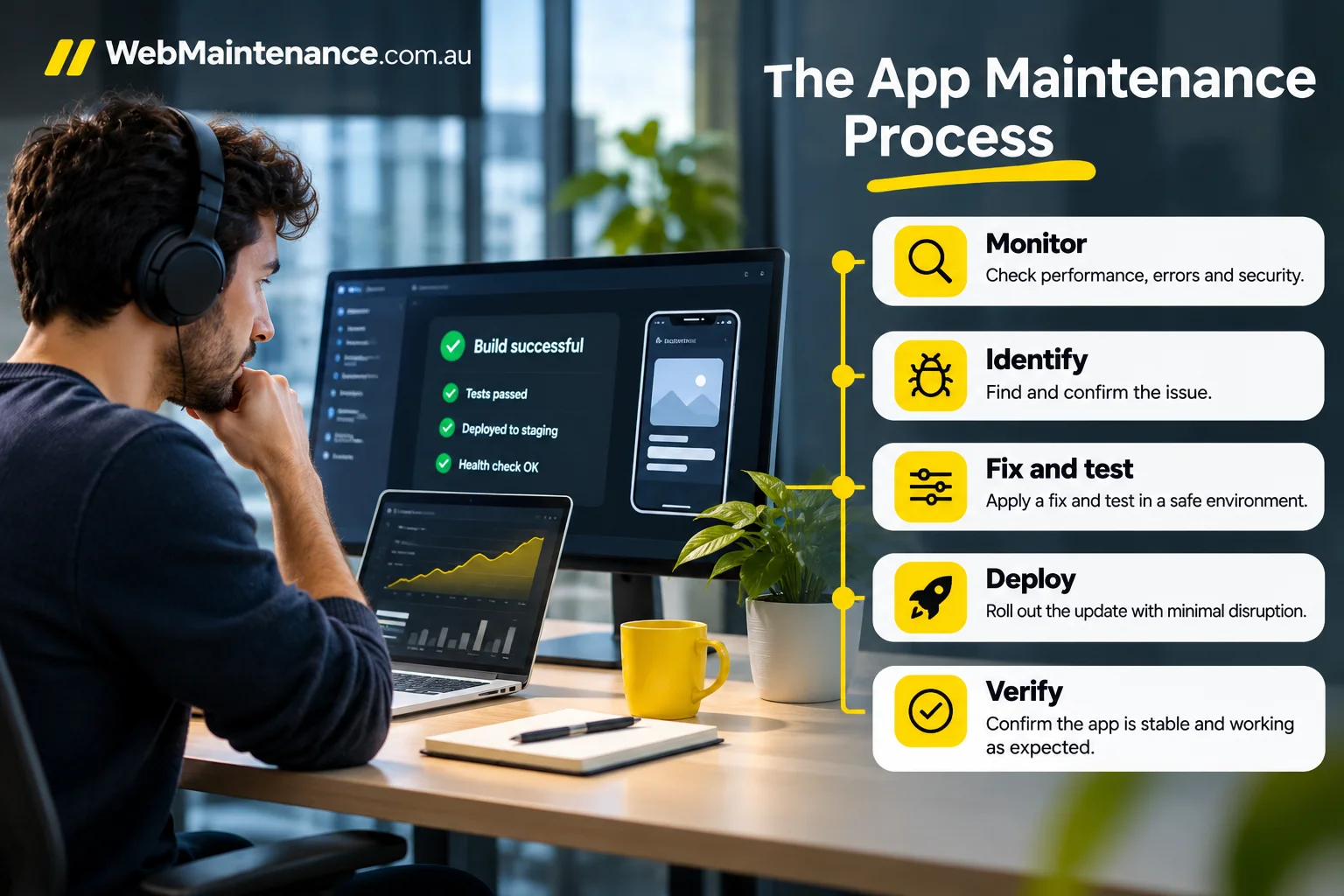
Test an app update against the current production baseline and the user journeys that generate business value. Release approval must be supported by reproducible results, not by a successful build alone.
- Record the existing app version, dependency versions and any known defects.
- Test the new version in an isolated staging environment with representative data.
- Run automated checks, device and browser compatibility tests and relevant accessibility checks.
- Manually verify sign-in, payment or booking flows and failure recovery.
- Document the approver, release notes, rollback owner and known limitations.
- Use controlled distribution where supported, then monitor errors after launch.
Google Play supports staged rollouts for updates, and Apple provides an optional seven-day phased release for eligible automatic updates. Neither mechanism guarantees an outage-free release.
How does app maintenance reduce security and privacy risks?
App maintenance reduces avoidable risk by closing known vulnerabilities, restricting privileged access and detecting failures earlier. Updates alone do not establish security or legal compliance. The Australian Cyber Security Centre recommends prompt patching, multi-factor authentication and tested backups.
- Patch supported software and remove abandoned dependencies.
- Require role-based access and multi-factor authentication for administrative systems.
- Review authentication, API permissions, data storage and incident logs after material changes.
- Keep sensitive production records out of development and test environments unless appropriately protected.
For organisations covered by the Australian Privacy Principles, APP 11 requires reasonable steps to protect personal information held. The appropriate steps depend on the organisation, data and circumstances, so legal applicability needs specialist assessment.
What should be monitored during app maintenance?
Useful app monitoring connects technical signals to business-impacting failures and named incident owners. A green server-status indicator does not prove that a payment, enquiry or booking journey works.
| Signal | Failure it helps reveal | Expected response |
|---|---|---|
| Crash and exception reports | Broken app version or recurring fault | Correlate errors with release and device version |
| API and service availability | Failed back-end dependency | Identify affected endpoints and upstream owner |
| Database and queue health | Delayed jobs, write failures or backlog | Check job processing and data consistency |
| Critical user transactions | Checkout, sign-in or booking failure | Reproduce and triage the affected journey |
| Security and certificate alerts | Unexpected access or expiring TLS | Validate alert, contain risk and assign remediation |
| Backup and restore evidence | Missing copies or failed recovery | Investigate the failed job and test restoration |
Automated checks can operate continuously, but human support hours, alert ownership and escalation paths are separate contractual matters.
How do you assess app performance during maintenance?
Assess performance against a known baseline using data from the same app build, device class and measurement method. Useful measures include crash-free sessions, API error rates, response latency, launch time, resource consumption and completion of key workflows.
Compare measurements before and after a release, then segment regressions by operating system, app version or affected endpoint. A slower payment request caused by an external service needs a different response from a slow local screen render. Treat improvement percentages with caution unless the instrumentation, dates, sample and baseline are documented.
Which backups and recovery tests should app maintenance include?
An app recovery plan needs restorable business data and configuration, not merely a copy of its source code. Determine ownership of database backups, uploaded files, configuration, secrets, retention and access permissions before relying on a recovery process.
Test restoration into a controlled environment and verify application start-up, data integrity and a critical workflow. Define a recovery point objective (RPO), the acceptable amount of data loss, and a recovery time objective (RTO), the target time to restore service. Both require an agreed risk assessment and scope.
Our WordPress website care includes daily off-site backups with 90-day retention. This applies to websites, not to separate mobile apps.
How should app maintenance incidents be prioritised and escalated?
App incidents should be prioritised by customer impact, security exposure and the availability of a safe workaround. The following is an example triage model; your service agreement defines the actual response commitments.
| Severity | Example | Escalation approach |
|---|---|---|
| Critical | Checkout unavailable or active data exposure | Contact the designated incident owner and follow the agreed emergency procedure |
| Major | Key feature fails for a subset of customers | Assign a technical lead, identify a workaround and communicate the affected scope |
| Routine | Cosmetic defect with no material workflow loss | Record the defect and schedule it into the maintenance backlog |
An incident agreement must distinguish acknowledgement, engineer response, resolution target and updates to stakeholders. Automated alerts outside office hours do not establish staffed after-hours support.
How often should an app receive maintenance?
Apps require ongoing observation, scheduled reviews and event-driven updates. There is no safe universal weekly or monthly release timetable; the schedule depends on dependency risk, platform requirements and business criticality.
| Cadence | Appropriate activity | Trigger for earlier action |
|---|---|---|
| Continuous | Observe crashes, uptime, critical transactions and security alerts | Active incident or suspected compromise |
| Scheduled | Review dependencies, backlog, performance, access and restore evidence | Growing defect rate or a failed maintenance check |
| Event-driven | Test an operating-system change, SDK retirement, security advisory or API version change | Vendor deadline or vulnerability exposure |
A maintenance agreement should name who checks each signal, who approves production changes and how emergency patches override the normal schedule.
How much does app maintenance cost in Australia?
App maintenance costs in Australia depend on the supported platforms, technical complexity, staffing coverage and work included in the agreement. There is no standard market-wide monthly price, so compare quotations by labour, service boundaries and included risk controls rather than by headline price alone.
| Pricing model | Typical inclusion | Cost item to confirm |
|---|---|---|
| Fixed monthly retainer | Agreed monitoring, patching, reporting and limited support | Hours, incident handling and exclusions |
| Prepaid support hours | Defined developer or operations time | Minimum block, expiry and unused hours |
| Project-based change | Major dependency upgrade or remediation | Testing, approvals and warranty on the change |
| Emergency callout | Unplanned incident response | Availability, authorisation and after-hours rate |
Our Care Essential (A$249 per month plus GST) and Care Growth (A$399 per month plus GST) plans cover WordPress website care, not mobile app maintenance. For app work, request a written quotation and confirm whether all amounts include GST.
Which factors change app maintenance pricing?
Five factors drive an app maintenance quote: technical debt, platform count, integration risk, support coverage and release cadence.
- Technical debt: unsupported frameworks and missing automated tests increase diagnosis and regression effort.
- Platform count: separate Android, iOS and web releases add build, device-test and review work.
- Integrations: payment gateways, CRMs and third-party APIs create external dependencies and failure paths.
- Support coverage: on-call staffing, incident severity and agreed response windows affect labour commitments.
- Change frequency: repeated code or dependency releases require testing, approvals and post-release checks.
Ask suppliers to identify each driver separately instead of assuming every application needs the same monthly hours.
What is excluded from an Australian app maintenance quote?
Only an agreed contract establishes the actual exclusions of an app maintenance service. Before accepting a quote, confirm who pays for new features, third-party licences, hosting, app-store accounts, major security remediation and emergency support.
Ask whether the quote includes production incident handling, release testing, data restoration, vendor-caused faults and handover at cancellation. Check rates for out-of-scope work and who authorises it. Contract wording and privacy obligations require qualified review where applicable.
When is rebuilding an app better than maintaining it?
Rebuilding becomes a serious option when the current architecture cannot meet essential security, compatibility or operating requirements at a reasonable total cost. A technical assessment must compare the business impact of keeping the existing product against migration risk and testing effort.
| Option | Appropriate situation | Main trade-off |
|---|---|---|
| Maintain | Supported codebase, contained defects and stable requirements | Lowest immediate disruption; technical debt remains |
| Refactor | Useful application with components that obstruct safe changes | Incremental improvement; careful regression testing required |
| Rebuild | Unsupported architecture or persistent constraints that cannot be repaired economically | Greater migration, data and delivery risk |
Include data transfer, integrations, accessibility, release approvals and temporary parallel operation in the comparison. A product's age alone does not justify replacement.
How should ecommerce and third-party integrations be maintained?
Ecommerce integration maintenance requires regression checks across the complete transaction, not just a successful website load. After a relevant update, validate product availability, shipping and tax calculations, payment authorisation, order confirmation, refund handling and inventory synchronisation.
Check webhook retries, API schema changes and duplicate event handling in a safe test environment. Record the last confirmed working version and which party owns external outages. Our WooCommerce website care covers extension and payment testing, subject to an agreed scope.
How should businesses choose an app maintenance provider?
Choose an app maintenance provider by confirming platform capability, access rights, measurable delivery evidence and support responsibilities before signing. A supplier experienced in WordPress updates is not automatically equipped to maintain a native app and its store releases.
| Decision criterion | Evidence to request before signing |
|---|---|
| Platform fit | Supported iOS, Android, hybrid or web framework versions and named technical owners |
| Change control | Test cases, approval workflow, staging environment and release/rollback procedure |
| Security | Access permissions, patch process, logging and incident ownership |
| Recovery | Backup inventory, retention, restore-test evidence and agreed recovery objectives |
| Support | Human support hours, emergency escalation and response versus resolution definitions |
| Commercial scope | Included labour, excluded work, third-party fees, GST and cancellation process |
| Reporting and handover | Versioned changes, unresolved risks, tickets and return of customer-owned assets |
For a WordPress website or WooCommerce store, compare the scope of our website maintenance plans. For a native or custom application, contact us for a written assessment of scope and support before any work begins.
What access and documentation are needed to take over an app?
A new maintainer needs an accurate asset inventory and permissions appropriate to the agreed work. A practical handover includes:
- Source-code repository and branching policy, with licence and ownership records.
- Build and deployment instructions, CI/CD access and release signing responsibility.
- Hosting, databases, monitoring dashboards, back-end API details and dependencies.
- App Store Connect or Google Play Console roles where native release work is authorised.
- Configuration inventory, backup records, known incidents and open defects.
Transfer credentials through an approved secure channel with least-privilege access and rotation where needed. Read-only diagnosis does not authorise production changes.
What should an app maintenance report show?
A useful maintenance report provides evidence of work completed and risks outstanding. It should link updates and incidents to source-of-truth records rather than rely on unsupported performance claims.
| Report field | Useful evidence |
|---|---|
| Release and update history | Version, change date, approver and test outcome |
| Availability and incidents | Monitoring period, impact, ticket and resolution record |
| Backup and recovery | Backup result, restore-test date and exceptions |
| Outstanding work | Severity, owner, target review date and next action |
Make monitoring coverage and any missing data explicit. A monthly website maintenance report is not automatically an app maintenance report.
How is app maintenance progress and incident recovery verified?
Verify maintenance work through a connected record of the alert, assessment, fix and successful post-change test. Each incident record should identify the affected service, start and end times, severity, owner, remediation and approval.
For recovery work, retain a restore-test result or functional check demonstrating that the affected workflow operates again. Link release versions, monitoring screenshots and related tickets where available, and remove customer personal information from exported records. A closed ticket alone is not evidence of full data recovery or cause resolution.
Frequently asked questions
Can app maintenance guarantee zero downtime?
NO, app maintenance cannot guarantee zero downtime. Testing, redundancy, controlled rollouts and rollback plans reduce avoidable interruptions that affect customers and search visibility, but failures remain possible in applications, networks and external providers. Any uptime target, service credit or availability calculation must come from the signed service-level agreement, not a general marketing claim.
Does automated app monitoring always include 24/7 human support?
NO, automated app monitoring does not automatically include human support around the clock. Monitoring tools collect signals and generate alerts; people investigate them according to agreed coverage and escalation arrangements. Check staffed hours, emergency categories, holiday coverage and the distinction between acknowledgement and restoration before accepting a support agreement.
Can a provider maintain an app without access to its source code?
YES, some monitoring and incident investigation can occur without source-code access if logs, dashboards or vendor support are available. Code repairs, dependency upgrades and reproducible releases generally require authorised access to the repository and build environment. Confirm intellectual property rights and responsibilities before assigning a change that the provider cannot technically implement.
Should every app release have a rollback plan?
YES, every production app release needs an agreed recovery or forward-fix plan proportionate to the change. Record who makes the rollback decision, the trigger and the data-state implications. Reverting an application binary cannot automatically undo an incompatible database migration, so test the recovery path and use controlled rollouts where supported.
Are backups adequate if restoration has never been tested?
NO, backup success notifications do not prove that an app is recoverable. A restore test must verify that the data is readable, the application starts and a representative workflow functions. Record the restore date, recovery point and elapsed time, and compare them with documented objectives. The Australian Cyber Security Centre specifically recommends testing that backups can be restored.
Can a standard WordPress website care plan automatically cover a native mobile app?
NO, a standard WordPress maintenance agreement does not automatically cover a separate Android or iOS application. WordPress core, plugin and theme care differs from mobile builds, device tests, signing keys and app-store release management. Native app support requires its own confirmed technical scope, deliverables and quotation.