Cloud hosting runs a website on configurable cloud computing resources rather than tying its operation to one fixed physical server. Its practical benefits are capacity that adjusts to demand, options for better availability and more control over infrastructure spending.
For Australian businesses, the outcome depends on server location, failover design, application performance and who maintains the site. This guide explains when these benefits justify the cost, where the risks sit and what to verify before choosing a provider.
What is cloud hosting and how does it work?
Cloud hosting delivers websites through virtual compute, storage and network resources supplied by a cloud platform. A website can run on one virtual machine or across multiple application instances, depending on its architecture and hosting plan.
A visitor usually reaches the site through DNS and, where configured, a content delivery network (CDN). The web server handles the request, application code retrieves data from a database or storage service and the response returns to the browser.
Compute capacity and storage are provisioned separately from the underlying hardware. A basic cloud server can still be a single point of failure; multiple servers, health checks and a failover route require deliberate configuration.
Cloud website hosting differs from cloud file storage and software subscriptions. It supplies the infrastructure used to serve the website itself. DigitalOcean's cloud hosting guidance describes on-demand virtual servers as a core operating model.
What are the main benefits of cloud hosting for Australian business websites?
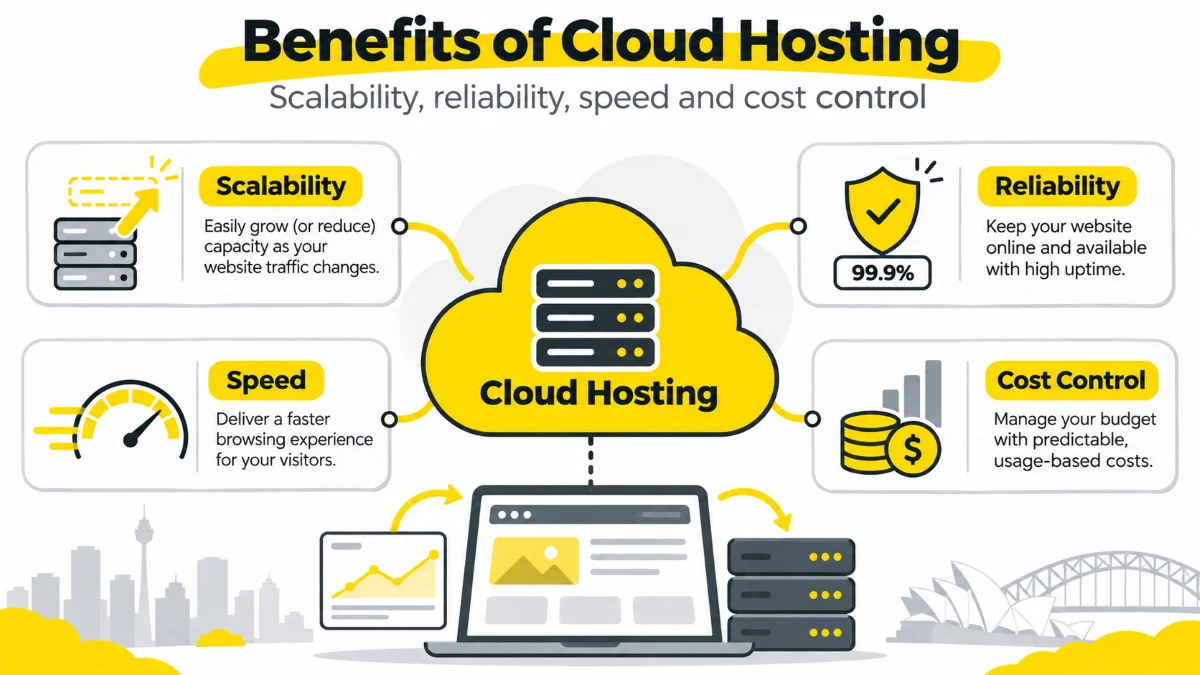
The main benefits are flexible resource allocation, options for reducing single-server failure risk, performance tuning and billing that reflects the selected capacity. Each benefit depends on the service tier and how the website is deployed.
- Capacity when demand changes: virtual machines can be resized, while a suitably designed application can add or remove instances. Automatic scaling requires a configured policy and a service that supports it.
- Availability by design: running independent application instances across fault domains reduces reliance on one server. A single cloud VM has no such protection merely because it is hosted in a cloud region.
- Performance control: compute resources, caching, data centre region and CDN settings can be adjusted to suit Australian visitors. Actual page speed still depends on code, images, databases and user devices.
- Resource and cost visibility: metered infrastructure can align charges with changing workloads. Spending becomes less predictable when transfer, storage and extra instances rise without limits.
- Operational flexibility: managed services can simplify patching and monitoring at infrastructure level. The agreement must still specify application updates, backup restoration and incident ownership.
For example, a local accountant's small brochure site might gain little from multi-instance hosting. A WooCommerce shop with concentrated campaign traffic has a stronger reason to test capacity expansion, checkout reliability and recovery procedures.
How can cloud hosting scale when website traffic suddenly increases?
Cloud capacity increases through vertical scaling, which raises resources on an existing server, or horizontal scaling, which adds servers to handle more requests. Automatic expansion is available only where the platform and application are configured for it.
- Measure demand: track CPU utilisation, request rate, memory pressure, database connections and checkout errors before setting thresholds.
- Choose a scaling method: resize a server manually, schedule capacity ahead of an event or trigger additional instances based on load.
- Test the limits: set quotas, warm-up rules, budget alerts and a maximum instance count, then load-test the database, sessions and cache behaviour.
According to AWS Auto Scaling documentation, scaling events change instance capacity and incur usage costs. Expanding the web tier does not remove database or third-party payment limits.
How can cloud hosting improve reliability without guaranteeing uptime?
Cloud hosting improves reliability when the application has redundant components, monitored health checks and a working failover path. A multi-zone design can keep serving traffic after one instance fails; a website on one virtual machine can still become unavailable.
Microsoft Learn distinguishes component redundancy, data replication and backups. Redundant web servers require routing and health checks, and recovery still depends on database availability, DNS, third-party services and tested restore procedures.
A provider's infrastructure SLA often defines service credits, not a promise that every customer page or checkout remains accessible throughout an incident.
How can cloud hosting improve page speed for Australian website visitors?
Cloud hosting can reduce response delays when compute resources, geographic routing and caching suit the website's actual audience. Hosting location alone does not fix slow application code or oversized images.
- Origin and routing: test an Australian-serving region against the current origin rather than assuming a Sydney label guarantees lower latency everywhere.
- CDN and caching: measure cache hit rate and delivery of static assets from locations closer to visitors.
- Application and database: review slow queries, PHP or runtime workers, CPU saturation and expensive plugins under load.
- Field results: compare Time to First Byte (TTFB) and Largest Contentful Paint (LCP) by device and visitor region before and after a change.
Google's web.dev describes LCP as the moment the largest visible page element renders. Its published good-experience threshold is 2.5 seconds or less at the 75th percentile. This is a measurement target, not a guaranteed result from any hosting platform.
How does cloud hosting compare with shared, VPS and dedicated hosting?
The main differences are resource allocation, how additional capacity is provisioned, who administers the environment and whether availability requires additional design. Cloud hosting overlaps with VPS hosting: a cloud VPS remains a virtual private server.
| Hosting model | Resources and scaling | Availability arrangement | Operations and billing |
|---|---|---|---|
| Shared | Multiple sites share a managed server; upgrading usually moves the account to a larger plan. | Resilience depends on provider infrastructure and plan. | Usually simpler management; typically a fixed plan price. |
| VPS | Allocated virtual server resources; resize or migrate when limits are reached. | One instance remains a failure point unless redundancy is added. | More administration, depending on managed or unmanaged scope. |
| Dedicated | One physical server reserved for the workload; scaling often adds or replaces hardware. | Hardware and network redundancy require separate design. | Greater infrastructure control; predictable base cost with a larger fixed commitment. |
| Cloud | Virtual compute and storage can be resized or distributed across instances. | Multi-zone failover requires setup, monitoring and testing. | Flexible architecture; usage and support fees can vary. |
A low-traffic brochure site with consistent demand may suit managed shared hosting. A transaction-heavy site with uncertain peaks may justify cloud capacity, provided the operating and recovery responsibilities are funded and documented.
When is cloud hosting worth considering for an Australian small business?
Cloud hosting is worth assessing when traffic varies significantly, site availability affects revenue or the existing server reaches a verified capacity limit. A quiet website does not automatically benefit from a more complex arrangement.
- Local professional services: a brochure site with occasional contact-form submissions often prioritises reliable backups, patching and support over automatic scaling. The current hosting plan may remain appropriate if performance and recovery tests pass.
- Ecommerce or bookings: a shop or appointment platform handling campaign surges faces higher impact from slow checkout, session failures or downtime. Load testing, database capacity and documented recovery procedures become key selection criteria.
Assess actual peak traffic, business impact per outage, available technical support, budget and data-handling obligations. Select the simplest configuration that meets tested workload and recovery requirements.
What are the main disadvantages and risks of cloud hosting?
The main risks are variable bills, security misconfiguration, platform dependency and operational complexity. They are manageable only when the business knows the relevant limits and ownership.
- Unexpected charges: autoscaled compute, outbound data transfer, storage growth and backups can increase an invoice. Require alerts, consumption thresholds and the provider's detailed tariff.
- Configuration mistakes: open management ports, excessive access rights and unpatched server software introduce exposure. Use role-based access, MFA, change controls and configuration reviews.
- Provider or regional incidents: cloud platforms experience outages. Document fault domains, external dependencies, rollback steps and restoration targets.
- Migration and exit costs: application dependencies, database export, DNS changes and outbound transfer charges affect portability. Test an exit plan before switching providers.
- Management gaps: a hosting contract may exclude WordPress plugin compatibility checks, third-party integrations and restore testing. Assign those tasks by name in the maintenance agreement.
Business Queensland identifies operational benefits and risks across cloud services. For a website, the decisive question is whether the hosting architecture, support scope and total cost meet the business's actual needs.
Which cloud-hosting security tasks remain the website owner's responsibility?
Website owners retain responsibility for the risks and tasks the contract does not assign to a provider or maintenance partner. The split changes between infrastructure-as-a-service, managed cloud hosting and fully hosted website platforms.
The Australian Cyber Security Centre describes cloud security as a shared responsibility. Use the following matrix as a starting point for contract review; the actual split depends on your hosting agreement.
| Control or task | Usual owner or operator | What to verify in writing |
|---|---|---|
| Data centre and physical network | Cloud infrastructure provider | Facility access, underlying network security and assurance evidence. |
| Guest operating system and runtime | Customer or managed host | OS patching, firewall rules, runtime updates and logs. |
| WordPress core, themes and plugins | Website owner or care partner | Update schedule, compatibility checks and rollback. |
| Accounts and MFA | Website owner, with agreed support | Admin access, least privilege, account removal and recovery. |
| Database and application security | Application owner or managed partner | Software patches, secret handling and vulnerability response. |
| Backups and restore testing | Contract-specific, often shared | Retention, isolation, test evidence, RPO and RTO. |
| Monitoring and incident response | Multiple parties under the SLA | Alert routing, staffing hours and restoration responsibility. |
Do cloud-hosting replicas replace independent website backups?
No. Replicas keep copies of current data available, while backups preserve earlier recovery points. A mistaken deletion, corrupted database or malicious change can spread to a synchronised replica.
Microsoft Learn separates replication from timestamped backup copies. Verify the backup schedule, retention period, storage location, permissions and restoration test.
Recovery Point Objective (RPO) is the acceptable amount of data loss; Recovery Time Objective (RTO) is the target time to restore service. Neither is established by simply having multiple copies of a live server.
Who is responsible for WordPress updates, restore tests and incidents on cloud hosting?
Responsibility follows the signed hosting and maintenance agreements. Cloud server administration does not automatically include WordPress plugin testing, restoring a broken checkout or responding to every application incident.
- Hosting operator: confirm operating-system updates, network controls, infrastructure monitoring and platform incident handling.
- Website maintenance partner: confirm WordPress core, theme and plugin updates, compatibility testing, staging, backups and restoration drills.
- Business owner: approve changes, maintain access ownership and confirm service priorities and third-party subscriptions.
WordPress.org documents how plugin updates are managed, but it does not assign responsibility under a particular contract. Hosted website builders such as Wix or Shopify have different core-platform maintenance boundaries from self-hosted WordPress.
Where will Australian business website data, backups and support access be located?
Website data and backup locations depend on the provider, selected region and the service's replication and support arrangements. An Australian web address or an Australian-based contact does not establish where personal information is stored or accessed.
- Primary systems: request the compute, database and object-storage regions.
- Recovery copies: identify the backup location, replication region and retention policy.
- Operations access: identify where support staff, subprocessors and monitoring services can access the data.
- Privacy and contracts: check confidentiality obligations and any industry-specific location or access restrictions.
For organisations covered by the Australian Privacy Principles, the OAIC's APP 8 guidance addresses cross-border disclosure of personal information in relevant circumstances. APP 8 is not a blanket requirement that every Australian website use an Australian data centre. Obtain qualified legal or privacy advice for sensitive workloads.
How can an Australian business compare an all-in cloud-hosting quote including GST and egress?
Compare cloud-hosting quotes by their total expected monthly cost in AUD, including separately charged services and any applicable GST. A base server rate does not show the full cost of a production website.
Ask each provider to price the same workload assumptions: average and peak use, storage growth, expected outbound traffic, backup retention and support requirements.
| Quote line | Charging basis to check | Decision evidence |
|---|---|---|
| Compute and scaling | Fixed instance, running hours, extra instances | Normal load, peak load and any autoscaling cap. |
| Storage and databases | Capacity, I/O or transactions | Live site, database and growth assumptions. |
| Data egress and CDN | Outbound GB, tier or cache-delivery usage | Australian and international traffic estimates. |
| Backups and recovery | Backup volume, retention and test labour | RPO, RTO and restore evidence. |
| Security, licences and support | Bundled, optional or metered services | WAF, SSL, patching, monitoring and response hours. |
| Migration and exit | Once-off setup and transfer charges | DNS cutover, rollback and data-export conditions. |
State the invoice currency, exchange-rate treatment, price review date and whether GST is included, excluded or not applicable to the quoted supply. Google Cloud's published network pricing illustrates how outbound transfer fees differ by tier and region, but there is no universal Australian hosting price.
Website care plans are also priced separately from hosting, so include ongoing website maintenance when comparing total cost.
What should an Australian business check in a cloud-hosting SLA?
A useful cloud-hosting SLA specifies what is monitored, the hours of human support and the remedies available when the service misses its target. Infrastructure availability, application recovery and helpdesk response are different commitments.
- Availability definition: identify covered services, the measurement window, excluded maintenance and third-party failures.
- Incident handling: confirm severity levels, alert route, business hours, after-hours coverage and response versus resolution times.
- Recovery and compensation: check backup and restore obligations, the claim procedure, service credits and any liability cap.
Request the signed schedule that applies to the exact service tier. Public marketing statements about uptime do not replace a contract or measured website availability report.
How should Australian business owners compare cloud-hosting providers?
Compare providers against the website's load profile, reliability design, maintenance responsibilities, actual response coverage and complete AUD cost. A provider shortlist is useful only when every quote is assessed against the same requirements.
- Confirm the workload: record the CMS, highest observed traffic, critical forms or checkout paths, database dependencies and expected growth pattern.
- Inspect the architecture: ask whether the site runs on one VM or on redundant instances, and request documented failover, region and backup configurations.
- Check recovery evidence: confirm the most recent successful restoration test, its scope and agreed RPO/RTO targets.
- Check security ownership: map WordPress updates, MFA, certificates, monitoring, incident response and subprocessors to named parties.
- Compare like-for-like costs: use itemised AUD/GST quotes with the same traffic, storage, support and migration assumptions.
Frequently asked questions
Is cloud hosting always faster than shared hosting?
NO, cloud hosting is not always faster than shared hosting. Server CPU limits, caching, network distance, application code and database performance determine the result. Compare equivalent pages with Australian user measurements, including TTFB and LCP, before assigning a speed benefit to the hosting model.
Does cloud hosting automatically provide high availability?
NO, a cloud-hosting account does not automatically provide a fault-tolerant website. A single virtual machine still fails as one instance. High availability requires configured redundant components, load balancing, health checks and tested recovery or failover.
Can a cloud-hosting provider guarantee zero downtime?
NO, no provider can guarantee that a website will never experience downtime. An uptime target or service-credit policy covers defined services under stated exclusions. DNS, expired SSL certificates, application bugs, payment integrations and customer changes can still interrupt a site even if the underlying infrastructure meets its SLA.
Does a cloud-hosting provider manage WordPress plugins by default?
NO, buying cloud infrastructure does not automatically include WordPress plugin updates. A managed WordPress service or separate website care agreement can assign patching, compatibility testing in a staging environment and rollback work. Check the written scope, including premium plugins and WooCommerce extensions.
Are cloud data centres in Australia mandatory for every Australian website?
NO, Australian law does not impose a universal local-data-centre rule on every website. Applicable privacy, confidentiality, procurement or sector-specific requirements can restrict data handling or transfers. Confirm the organisation's legal obligations and the location of hosting, backups and overseas access before choosing a region.
Can cloud-hosting charges increase when site traffic rises?
YES, metered hosting charges can rise when traffic triggers more compute instances, outbound data transfer or CDN usage. An itemised tariff, realistic peak-load estimate, alerts and spend limits improve budget control.