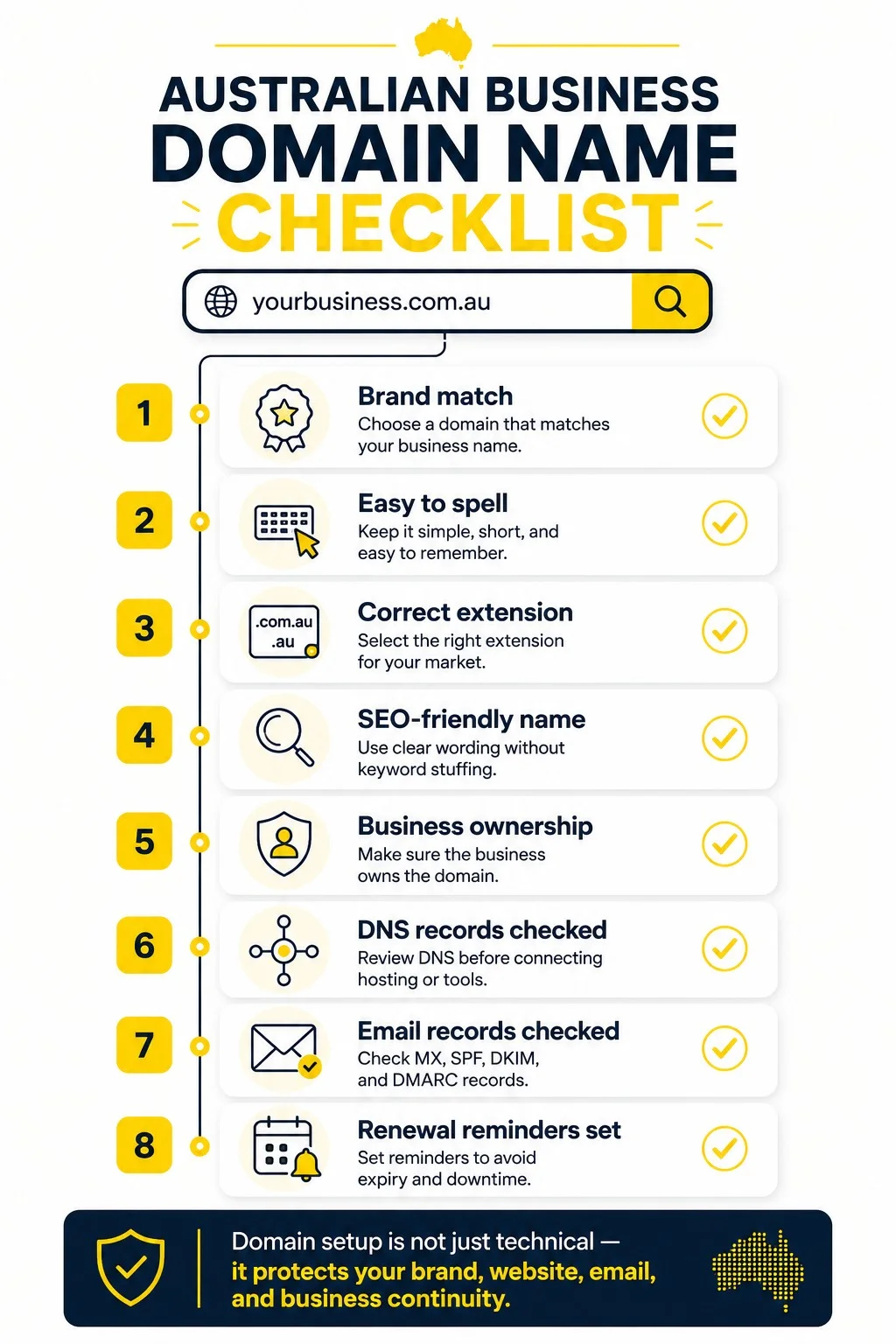
An Australian business domain name is a registered web address that controls website access, branded email, DNS records, hosting connection, renewal risk and ownership control. A strong choice fits the business name, uses a suitable Australian extension, avoids spelling confusion, supports search visibility without keyword stuffing and stays under the business owner's control. The checklist below moves from naming and SEO to hosting, DNS, email, handover and renewal checks.
What Is a Business Domain Name?
A business domain name is the registered address used for a website and business email, such as example.com.au for the site and name@example.com.au for email.
The domain does not store the website files by itself. DNS records connect the domain to web hosting, email platforms, SSL validation, CDN services and other technical systems. Business.gov.au describes a domain name as the web address used to find a business online and notes that the same domain also underpins business email addresses.
- Domain name: the registered web address.
- Registrar: the provider or reseller that registers and renews the domain.
- Registrant: the legal person or business recorded as holding the domain.
- DNS: the records that point the domain to hosting, email and verification services.
- Hosting: the server environment that stores website files, databases and application code.
What Makes a Domain Name Good for Business Branding?
A good business domain name has clear brand fit, easy spelling, low typo risk, extension trust and future service flexibility for the target market.
The safest naming pattern uses the business name or a close, readable version of it. A service keyword fits when it clarifies the offer and still sounds natural in email, invoices, ads, social profiles and phone conversations.
- Brand match: customers recognise the business without extra explanation.
- Short form: the name avoids unnecessary words, repeated letters and long phrases.
- Spelling clarity: the name avoids slang, confusing abbreviations and words with common misspellings.
- Pronunciation: staff say the address once and customers type it correctly.
- Growth room: the name does not lock the business into one suburb, product or short-term campaign.
- Trust fit: the extension matches the audience and business location.
How Easy Is the Domain Name to Spell, Say and Remember?
The domain name is easy enough when a customer hears it once, spells it without clarification and remembers it after leaving the conversation.
Phone enquiries, radio mentions, vehicle signage, referral conversations and business cards all expose spelling problems. Hyphens, numbers, unusual word breaks and clever spellings increase lost traffic because people type the more obvious version.
Which Domain Extension Fits an Australian Business?
An Australian business usually starts with .com.au for commercial trust, .au for a shorter local option and .com when it serves international or brand protection needs.
| Extension | Best fit | Main check |
|---|---|---|
| .com.au | Australian commercial businesses that want a familiar local business signal. | Confirm Australian eligibility and name connection. |
| .au | Shorter Australian web addresses and brand protection alongside .com.au. | Confirm eligibility and avoid confusing customers if .com.au is primary. |
| .com | International audience, software products, export businesses or defensive brand coverage. | Check whether Australian customers expect the .com.au version. |
| .net.au or other extensions | Specific cases where the extension matches the organisation type or availability constraint. | Check trust, eligibility and customer recognition before registering. |
What Domain Name Rules Apply in Australia?
Australian domain rules require current eligibility evidence and a valid connection between the registrant and the registered name for regulated .au namespaces.
- ABN or ACN details for many commercial registrations.
- Australian presence evidence where required by the namespace.
- A clear connection to the business name, trading name, service, trademark or abbreviation.
- Current registrant details for the entire registration period.
- Registrar records that match the business owner rather than an old staff member or supplier.
How Does SEO Influence a Business Domain Name?
SEO influences a business domain name through clarity, relevance, trust and click confidence, not through forced keyword repetition in the web address.
A keyword inside a domain clarifies a local service, such as plumbing, legal, accounting or web support. It becomes a risk when the name looks generic, hard to brand or too narrow for future services. A brand-first domain with clear page titles, service pages, internal links and local business details gives search engines more useful context than a keyword-stuffed address.
- Use a keyword only when it fits the real business name or service position.
- Avoid exact-match names that make the business look temporary or low trust.
- Keep location words only when the business serves that location long term.
- Check whether the domain still reads naturally as an email address.
- Let page content, headings, service pages and schema carry detailed SEO context.
How Does a Domain Name Connect to Hosting, DNS and Email?
A domain connects to hosting, DNS and email through records that direct web traffic, mail delivery, SSL validation and verification services to the correct providers.
The domain, hosting and email platform often sit with different providers. That setup works when records are documented and access is controlled. It creates downtime risk when nobody knows which registrar account, DNS zone or email service controls the live site.
Which DNS and Email Records Belong in a Launch Check?
A launch check covers A, AAAA, CNAME, MX, TXT, SPF, DKIM, DMARC and SSL verification records because these records affect website loading, email delivery and trust signals.
| Record | Purpose | Launch check |
|---|---|---|
| A or AAAA | Points the domain or subdomain to a server IP address. | Confirm the record points to the correct hosting environment. |
| CNAME | Aliases one host name to another service host. | Check www, CDN and platform-specific hostnames. |
| MX | Routes email for the domain. | Confirm the mail provider and priority order. |
| TXT | Stores verification and security values. | Check SPF, DKIM, DMARC and provider verification strings. |
| SSL validation | Confirms domain control for certificate issue or renewal. | Check certificate status after DNS changes. |
| Redirects | Routes old or alternate domain versions to the preferred address. | Check http, https, www, non-www and alternate extensions. |
Who Owns and Controls the Business Domain Name?
The business owns and controls the domain when the registrant, admin email, billing contact, registrar login and recovery options sit under business control.
A web developer, IT provider or marketing agency manages DNS and technical changes through delegated access. The registrant record and recovery email belong with the business owner or an authorised company account, not a personal supplier address.
How Are Domain Renewals Managed Safely?
Domain renewals are managed safely when the renewal date, payment method, registrar account, notification email and backup contact are recorded in a business-owned register.
- Record the registrar, domain, expiry date and registered entity.
- Use a business-owned billing method and monitored email address.
- Set renewal reminders outside the registrar account.
- Check auto-renewal status after card changes or business ownership changes.
- Review registrant details after rebrands, director changes and provider changes.
Does a Business Register Multiple Domain Extensions?
YES, a business registers multiple extensions when brand protection, customer confusion or future market expansion justify the extra renewals.
A practical Australian set often includes the primary .com.au domain plus the matching .au or .com when available. Defensive registration becomes wasteful when the extra names have no traffic risk, no customer confusion risk and no planned use.
What Legal or Confusion Checks Come Before Registration?
Pre-registration checks cover business name conflicts, trademark risk, similar competitors, misleading abbreviations and customer confusion before money is spent on the domain.
- Search the proposed name in Google Australia and Maps.
- Check ASIC business name records and relevant trademark databases.
- Check direct competitors with similar names or similar spelling.
- Check matching social profile availability for brand consistency.
- Get legal advice where trademark risk, franchise rules or regulated industry names are involved.
What Access Is Handed Over With a Business Domain?
A domain handover includes registrar access, DNS zone access, billing records, registrant details, admin email control, renewal dates, transfer status and a current DNS export.
| Handover item | Why it matters | Evidence to keep |
|---|---|---|
| Registrar login | Controls renewal, transfer lock and registrant details. | Business-owned login or delegated access record. |
| Admin email | Receives recovery, transfer and renewal messages. | Mailbox owner and recovery contact. |
| DNS zone | Controls website, email, CDN, SSL and verification records. | Exported record list and DNS provider name. |
| Billing details | Prevents failed renewals after supplier or card changes. | Payment owner and renewal date. |
| Transfer lock | Affects moving the domain between providers. | Current lock status and auth-code process. |
| Provider contacts | Speeds up fixes during downtime or migration. | Registrar, host, email provider and website support contact list. |
What Domain Name Mistakes Do Businesses Avoid?
Businesses avoid domain problems by removing confusing spelling, poor extension fit, unclear ownership, weak DNS records, missed renewals and rushed hosting changes from the setup process.
- Choosing a name that customers cannot spell after hearing it once.
- Using hyphens, numbers or unusual abbreviations to work around availability.
- Registering a domain under a developer, staff member or supplier account.
- Ignoring .com.au or .au eligibility requirements.
- Changing nameservers without recording existing email and verification records.
- Letting the domain expire because renewal notices go to an old inbox.
- Treating domain registration, hosting, email and maintenance as one service without checking scope.
- Launching a new domain without redirects, Search Console checks and email tests.
What Is the Final Domain, Hosting and Ownership Checklist?
The final domain checklist confirms brand fit, Australian extension choice, SEO suitability, hosting connection, DNS records, email records, ownership, renewals, handover and launch testing before the site goes live.
- Confirm the domain matches the business name, trading name or clear service position.
- Say the name aloud and remove spelling, hyphen, number and abbreviation problems.
- Choose the primary extension: .com.au, .au, .com or another justified option.
- Check Australian eligibility requirements for the selected namespace.
- Search for business name, trademark and competitor confusion risks.
- Decide whether extra extensions or variants protect the brand.
- Keep keyword use natural and avoid exact-match stuffing.
- Register the domain under the business, not a supplier's personal account.
- Record registrar login, registrant details, admin email and recovery options.
- Record expiry date, renewal method and payment owner.
- Export the current DNS zone before hosting, email or CDN changes.
- Check A, AAAA, CNAME, MX, TXT, SPF, DKIM, DMARC and SSL validation records.
- Confirm hosting, email, DNS and website maintenance responsibilities.
- Test website loading, redirects, SSL, email delivery and form notifications after launch.
- Add the domain to Search Console, analytics and uptime monitoring.
- Store the domain handover checklist with website support documentation.
Does Buying a Domain Name Include Website Hosting?
NO, buying a domain name does not automatically include website hosting; the domain is the registered address, while hosting is the server environment that stores and runs the website. See choose website hosting for guidance on matching a plan to the domain and platform.
Can a Business Domain Name Be Changed Later?
YES, changing a business domain name is possible later, but the change requires redirects, email updates, analytics checks, Search Console updates, customer communication and DNS testing.
Does a Business Use Hyphens in a Domain Name?
NO, most business domain names avoid hyphens because customers miss them, staff need extra spelling instructions and the unhyphenated version often receives direct traffic.
Can a Domain Expiry Take a Website Offline?
YES, a domain expiry takes a website and branded email offline when DNS resolution stops after the registration lapses or enters a suspended state. website monitoring can flag an expiry-related outage quickly, before it affects customers.
Does a Domain Name Affect Business Email?
YES, a domain name affects business email because MX records route mail and TXT records support SPF, DKIM and DMARC checks for delivery and sender trust.
Is Developer Ownership of a Business Domain Safe?
NO, developer ownership creates avoidable access risk because renewals, transfers, DNS changes and recovery emails depend on a third party instead of the business owner. Independent web support australia can manage these tasks without holding registrant control.
A strong Australian business domain name keeps the brand clear, the extension appropriate, the SEO signal natural, the hosting connection documented and the ownership records controlled by the business. The same checklist protects DNS, email, SSL, renewals, handover records and launch testing after the website goes live. Reviewing website hosting cost australia alongside the domain budget keeps the full setup accounted for.